
Assumption Parish Case Custodians
Custody comes first in Assumption Parish, not a statewide search box. That clerk holds the district-level files. They span civil, criminal, family, succession, probate, and district traffic for the Twenty-Third Judicial District Court. That district also covers Ascension and St. James. But an Assumption Parish-side file belongs with the Assumption Parish clerk. Ward-level cases work differently. A Ward 1, Ward 2, or Ward 3 justice-of-the-peace case stays with that ward court. A Village of Napoleonville ordinance matter may run through Mayor's Court and City Hall instead. Federal cases fall outside all of this. They belong to the Eastern District of Louisiana federal system, not the parish clerk.
Assumption Parish Case Court Map
These custody splits matter most when a search comes back empty. A district-court matter often yields a clerk file. The docket history comes with it. A JP or ordinance file may never show up in a paid Assumption Parish index. An appeal complicates things further. It creates a later docket that points back to the original case. Let the court printed on your notice or citation pick your next contact. Match an Assumption Parish case to its custodian. That keeps a missing index entry from being mistaken for a case that does not exist.
How to Search Cases by Name
The Assumption Cott/eSearch form sits behind account access. Its post-login field labels, wildcard rules, and required filters stay private as a result. For an Assumption Parish case, work with whatever fields the authenticated portal shows. Keep the search broad. Spellings vary, prior names appear, and businesses file too, where the service allows it.
- Identify the Assumption Parish court and record category: 23rd JDC district case, a Ward JP matter, a Napoleonville ordinance matter, or a federal case.
- For an Assumption Parish parish district case, open the Clerk’s record-search route and continue to the Assumption Cott/eSearch service.
- Select or confirm the displayed Assumption Parish Civil, Criminal, Probate, or Indexed Records module after signing in. Do not assume a category from the subject of the case.
- Review Assumption Parish Certified Dates before relying on a no-result. The index may not yet cover the event date or may begin after the older case.
- Use the available Assumption Parish name and case controls, then open the matching index or history entry. Compare the parties, case type, and filing date before treating it as the right case.
- If the result cannot be narrowed, contact the Assumption Parish Clerk at (985) 369-6653 or use the public computer in the clerk’s office.
| Visible Cott control | Use in an Assumption Parish parish search |
|---|---|
| User ID and Password | Account sign-in; exact credential format is not stated on the landing page. |
| Create an Account | Registration path for the subscription service. |
| Certified Dates | Check the index through-date before treating a missing entry as conclusive. |
| Record module | Civil, Criminal, Probate, and Indexed Records are publicly described; protected options are not published. |
| Name or case fields | Available after login, but their exact labels and search behavior are not exposed before account access. |
Assumption Parish Case Search Access
Start with the Assumption Parish Clerk's LCRAA and records landing page. That page is the official doorway to parish electronic access and filing services. Treat it as a starting point rather than a workaround. It does not open the protected Cott search to free public use. Know your account access first. Also check the service's date coverage before typing in a name.
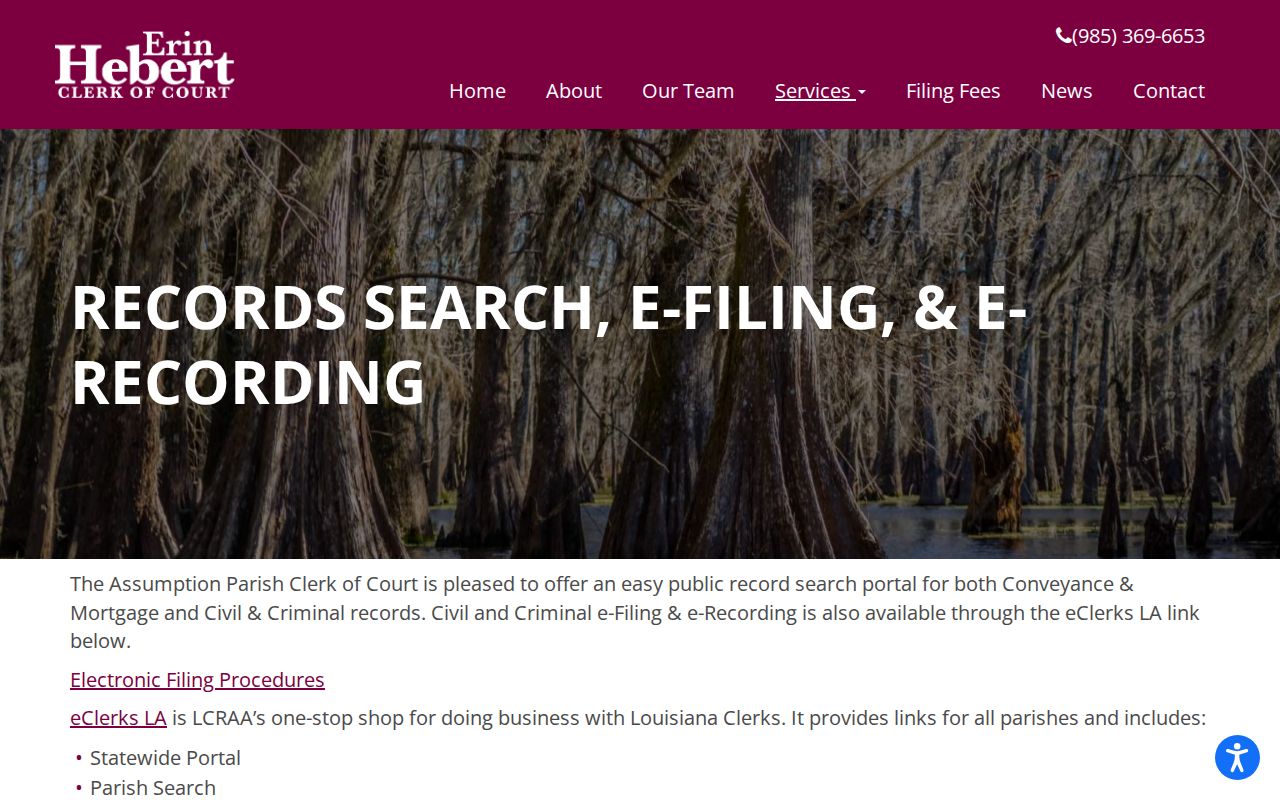
The Cott sign-in page displays its public controls plainly. You see User ID, Password, Password Reminder, Create an Account, Certified Dates, and site requirements. It recommends a modern HTML5-capable browser with cookies and JavaScript enabled. It also warns that pop-up blocking can interfere with Assumption Parish use. Those controls stay outside the private search form. So do not guess at hidden filters. Do not infer a local number pattern from them either. The direct Assumption Cott login shows the account gate without exposing any private case. Once inside, rely only on the categories and fields actually presented.
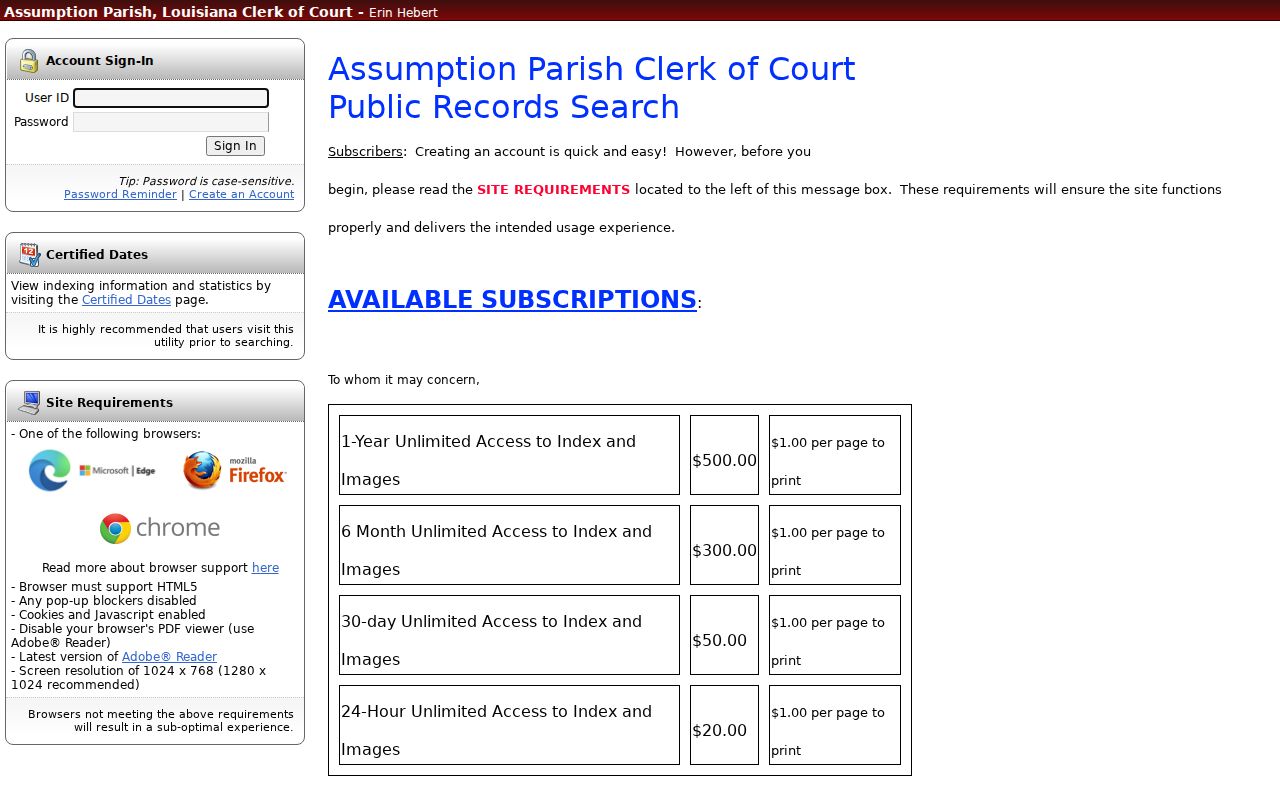
Assumption Parish Case Subscription Options
The Assumption Parish Cott landing advertises four subscription tiers. They run $20 for 24 hours, $50 for 30 days, $300 for six months, and $500 for one year. Printing runs $1 per page. A subscription gets you the index and available images, not the clerk's certified record. Image coverage is uneven, too. Civil and probate images are advertised within their date ranges, but the public Cott landing states that criminal images are not available. When the Assumption Parish case document you need is not online, request the clerk's copy.
How to Search by Case Number
Type the exact Assumption Parish case number shown on a clerk notice, citation, prior filing, or authenticated result. Assumption's public Cott landing publishes no local number format. There is no verified basis for borrowing a year prefix, division letter, or punctuation pattern from another Louisiana parish. Enter the number just as the logged-in service requests it. Keep the punctuation the clerk supplied.
If a traffic citation is your only paper, its court and appearance date serve you better than a guessed district case number. A file may not appear in Cott until it has been filed and indexed. A no-match result calls for patience. Verify the issuing court, the record category, and the date window first. Then ask the clerk to locate the matter.
Assumption Parish Case Search Windows
The public landing for Assumption Parish Cott spells out its coverage windows. Civil records run from 1996 to present. Civil images cover that same span. Criminal indexes reach back to 1994 to present, though no images come with them. Probate records cover 1979 to present, and probate images exist across that whole period. Property, marriage, and other recorder indexes sit apart. Each has its own coverage window for Assumption Parish. Those dates mark the online coverage only. They do not trace the full life of the official court file.
For older civil or criminal material, plan on a courthouse search. Bound volumes, microfilm, archives, and staff help all come into play. The Assumption Parish clerk keeps records from the 1700s. No published retention schedule or retrieval turnaround promises when a file will be ready. When the online docket window does not reach your case date, the office public computer helps. The clerk counter is the other practical fallback.
What a Case Search Shows
An Assumption Parish online index does two things. It locates a file and traces the case history. Read any result as a working locator, and nothing more. It is not a certified copy. It is also not a complete public release of every document in the court records. The exact layout of an Assumption Parish Cott result sits behind login. The eClerks criminal guide, by contrast, describes a narrower statewide result shape.
| Case or docket number | Clerk-assigned identifier; keep the exact version displayed or printed by the custodian. |
|---|---|
| Record type | Civil, criminal, probate, or another module/category shown by the service. |
| Caption or parties | Names used to distinguish the case from similarly named records. |
| Filing or index date | The date associated with filing or indexing, not necessarily the next hearing date. |
| Docket history | Chronology of filed actions, settings, orders, or dispositions where the system exposes them. |
| Documents | Civil and probate images are advertised; criminal images are not available through the Cott landing. |
Treat any Assumption Parish date in a case history as provisional. A reset or continuance can supersede it. Before you travel, compare the most recent docket entry. Confirm the setting with the clerk or the responsible division. When you need a document or judgment, request the exact item. Say whether you want a plain or certified copy.
Assumption Parish Case Search eClerks
eClerks LA works as a statewide access layer run through the Louisiana Clerks' Remote Access Authority. It connects all 64 parishes and requires an account plus a selected subscription path. Its parish-search materials walk through choosing a parish. Then they cover locating available documents, maps, marriage information, or civil information. For an Assumption Parish question that spans parish lines, it makes a useful second route. Even so, it never replaces the Assumption Parish Clerk. The clerk remains keeper of the parish district-court file.
Assumption Parish Case Result Fields
Know what the eClerks Criminal Search tile is. It is a statewide criminal-record search, not a full Assumption Parish civil docket viewer. Its official alert guide lists result columns for Parish, Case Number, Defendant, and Actions. That result shape does not open free access to every filing. Nor does it cover every image. Nor does it hand you an Assumption Parish-specific case-number convention.
Use the statewide result to locate the Assumption Parish case. Then turn to the clerk's record route. Confirm its history or obtain an official copy from the court docket.
County vs Statewide Case Search
Louisiana offers no single Louisiana Supreme Court portal where the public can search every trial-court docket by name. Pick the search layer that fits your Assumption Parish question. Then go back to the proper custodian for confirmation or a certified record.
| Route | Best use | Important limit |
|---|---|---|
| Assumption Cott/eSearch | Paid parish index and available civil/probate images for 23rd JDC matters filed in Assumption. | Coverage dates vary by category; criminal images are unavailable; exact search fields are protected. |
| eClerks LA | Statewide parish navigation and criminal-search access with an account/subscription. | Not a single complete Louisiana trial-docket register and not the custodian of the Assumption file. |
| 23rd JDC website | Division contacts, duty calendar, holidays, and Zoom instructions. | No public case-name search or searchable daily case docket was located. |
| Clerk public computer and counter | Assisted local research, older-file questions, and official copy requests. | Availability remains subject to office procedures and legal restrictions. |
Assumption Parish Case Date Confirmation
The 23rd JDC publishes a duty calendar, holiday links, division pages, and Zoom instructions. Its visible duty schedule carries an official-use label. That label means it is not a party-name setting search. For an Assumption Parish court date, start with the citation, summons, or notice. The latest docket entry also helps. From there, ask the Assumption Parish Clerk at (985) 369-6653 about record history. The judges' office at (225) 621-8500 can confirm division and setting questions.
The official Twenty-Third Judicial District Court contact route gives you the court-system path. That path opens once the clerk record identifies the responsible Assumption Parish division.
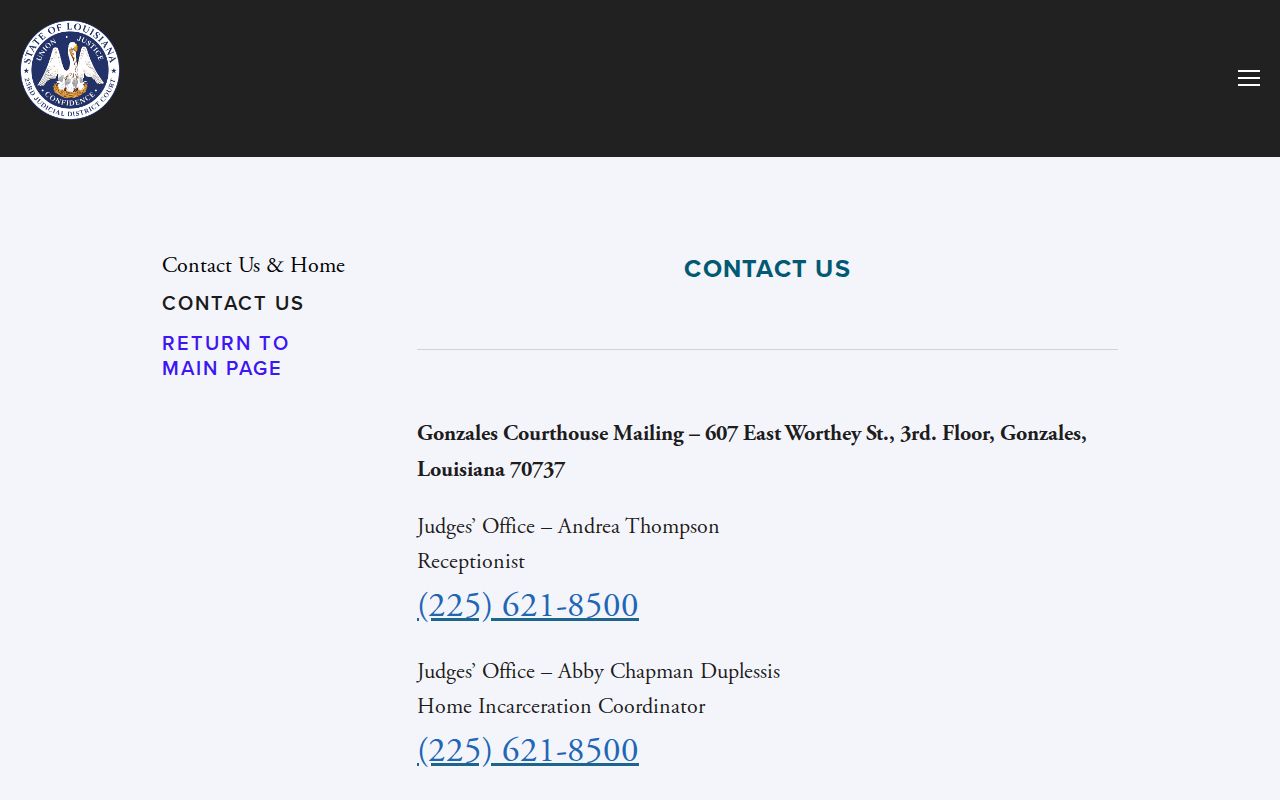
The Assumption Parish contact view helps with division routing. Still, a clerk or division must confirm the actual case setting.
Public computers wait at the clerk's office at 4809 Highway 1 in Napoleonville. Records are viewable during posted hours. Hours run Monday through Friday, 8:30 a.m. to 4:30 p.m. Older files may need a staff-assisted search. The same goes for records that never posted online. Bring names, case number, dates, and court information.
Restricted Cases and Access Rules
Public access carries no promise. Not every Assumption Parish record will surface in a general name search. Louisiana Children's Code article 412 keeps juvenile records and reports confidential except for statutory exceptions. Code of Criminal Procedure article 973 makes expunged records confidential and no longer public. The limited access that statute preserves still applies. A sealed matter may be omitted from the court docket. It may show only a restricted indicator.
Local electronic-filing rules add their own limits. They require omission or partial redaction of personal identifiers. Adoption, protected family, medical, financial, and protective-order material can carry further restrictions. If a case cannot be found, check the basics. Verify the court, the category, the spelling, and the online date range. Then ask the clerk whether the record is sealed, expunged, juvenile, or simply not online. A missing document image never proves the case did not exist.
Access rules to keep in view:
Louisiana Code of Civil Procedure art. 251 gives the clerk custody of court records and requires public examination and copying unless law provides otherwise.
Children’s Code art. 412 makes juvenile records confidential except as the statute allows.
Code of Criminal Procedure art. 973 treats expunged records as confidential and not public.